5th Edition PMBOK® Guide—Step 5: Memorizing Tools & Techniques (Integration Knowledge Area)


1. Introduction

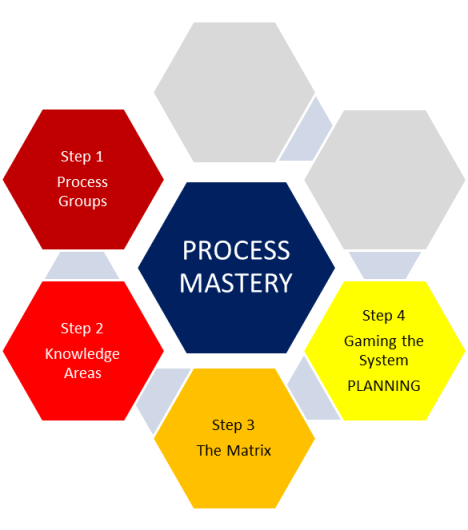
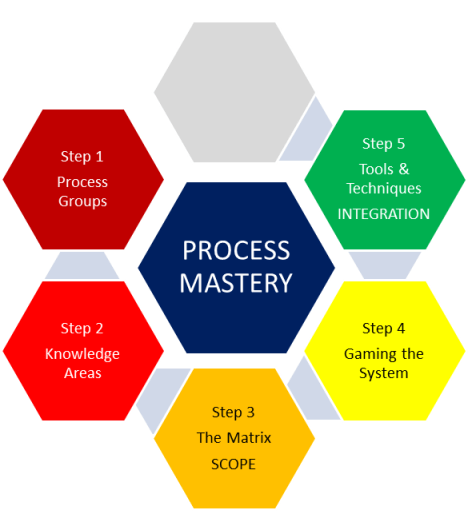
In this next series of posts, we move onto step 5, which is memorizing the TOOLS & TECHNIQUES associated with each process.   In order to breakdown the memorizing into more bite-size chunks, I am going to break down this topic into at least 10 posts, one for each knowledge area.   (There may be some knowledge areas that require more than one post.)

This post covers chapter 4 of the 5th Edition of the PMBOK® Guide, which covers the Integration Knowledge Area. This knowledge area contains 6 processes, with at least one process in each of the 5 process groups, with Monitoring & Controlling Process having two processes from this area.
2.  Integration Knowledge Area Processes

Here are the six processes in the Integration Knowledge Area, followed by a brief process description, and a list of the tools & techniques used in each process.

Process
Number & Name
Process Description Tools & Techniques
4.1 Develop Project Charter Develops document that formally authorizes project and provides project manager with authority to apply organizational resources to project activities. 1. Expert judgment

2. Facilitation Techniques

4.2 Develop Project Management Plan Defines, prepares, and coordinates all subsidiary plans and baselines (from all 9 other knowledge areas) and integrates them into a comprehensive project management plan. 1. Expert judgment

2. Facilitation Techniques

4.3 Direct and Manage Project Work Leads and performs work defined in project management plan and implements approved changes to achieve the project’s objectives. 1. Expert judgment

2. Project management information system

3. Meetings

4.4 Monitor and Control Project Work Tracks, reviews, and reports project progress against performance  objectives defined in project management plan. 1. Expert judgment

2. Analytical techniques

3. Project management information system

4.5 Perform Integrated Change Control Reviews change requests; approves changes and manages changes to deliverables, OPAs, or project management plan itself; communicates their disposition 1. Expert judgment

2. Meetings

3. Change control tools

4.6 Close Project or Phase Finalizes project across all PM process groups; formally closes project or phase 1. Expert judgment

2. Analytical techniques

3. Meetings

3.  Tools & Techniques of the Integration Knowledge Area

If you look at the above chart, you will see that many of the tools & techniques are used in several of the processes.  Let’s take a look at each in turn.

a.  Expert judgment (all processes 4.1, 4.2, 4.3, 4.4, 4.5, and 4.6)

Integration is the most complicated knowledge area since it integrates all the other processes from the other 9 knowledge areas.  For this reason, expert judgment is used for ALL processes in this knowledge area

b.  Facilitation Techniques (4.1 Develop Project Charter and 4.2 Develop Project Management Plan)

Facilitation Techniques are used for the two processes which “Develop” a major project document, such as the Project Charter and Project Management Plan.  Facilitation can be used as synonymous with “brainstorming”, when you want to get everybody’s input not just to get the best ideas from the team, but to make sure that the entire team “buys into” the results.

c.  Analytical Techniques (4.4 Monitor & Control Project Work, 4.6 Close Project or Phase)

You use “analysis” after you have managed to gather together project information (which is project data that has been prepared in a relevant and useful form for the project team).  This is most needed when you monitor project work (which is where you get the project information from), and at the end of the project, when you need to analyze the success of the project and put those elements of the project that were not successful into a “lessons learned” document.

d.  Meetings (process 4.3 Direct and Manage Project Work, 4.5 Perform Integrated Change Control)

Meetings are required by the entire project team when there is a need to bring up any problems that occur during the course of the project (during Direct and Manage Project Work).  Any solutions to those problems that are presented are “change requests” which then must get analyzed before recommendations for acceptance or rejection in the Perform Integrated Change Control process.

e.  Project management information system (4.3 Direct and Manage Project Work, 4.4 Monitor & Control Project Work)

This is used in conjunction with both processes that have to with implementing project work (Direct and Manage Project Work), and monitoring to see whether that work has been done or not (Monitor & Control Project Work)

f.  Change Control

This is useful only for the 1 process that deals with this topic, namely Perform Integrated Change Control.

If you take a moment to reflect on what the essence of each of these six processes is, you can figure out what tools & techniques belong to them.

4.  Test Yourself!

To test yourself on these tools & techniques, take the same index cards you used to memorize the names of the processes back in steps 3 and 4.  Remember that you have the name of the process on one side, and the name and process number of the process on the other.  On the side that contains the name and process number, put “Tools & Techniques” underneath and list the tools & techniques you find in the above chart under each list.

You then need to take the six index cards and shuffle them with the name of the process showing face up.  Then take the first card in the pile and see if you can name the tools & techniques for that process.  You get no points for guessing “Expert Techniques” because that is one of the tools & techniques for every process in Integration!   Pretty soon, you’ll be getting more and more of them, and when you can do this successfully 5 times in a row, that is 1 out of 10 knowledge areas under your belt as far as tools & techniques is concerned.  Congratulations!

Integration is one of the easiest knowledge areas for which to memorize Tools & Techniques because a) each process has only 2 or 3 tools & techniques at most and b) the tools & techniques are similar across the six processes, occurring in easily recognizable patterns based on what the gist of each process is.

After the weekend posts, on Monday I will do a series of posts for the Scope Knowledge Area, the 2nd out of 10 knowledge areas that is covered by chapter 5 of the 5th Edition of the PMBOK® Guide.

5th Edition PMBOK® Guide—Memorizing the Processes (Step 4: Closing Process Group)


2. Processes in the Closing Process Group

There are only two processes in the Closing Process Group, 4.6 Close Project or Phase and 12.4 Close Procurements.

Process

Group

Process

Number

Process
Name
Process Description
Closing 4.6 Close Project or Phase Finalizes activities across all PM process groups and formally closes, which involves

  • validation of final product by the buyer
  • formal closure
  • financial closure
  • administrative closure.
Closing 12.4 Close Procurements Process of completing each project procurement, which involves

  • validation of deliverables by the buyer
  • financial closure (compensation)
  • legal closure
  • administrative closure.

Here’s a little more explanation of these processes.

4.6  Close Project or Phase

First of all notice the title “Close Project or Phase“.   A phase is when you subdivide a large project into several phases, each of which is treated as a project in and of itself.    Each phase therefore has to have a formal closure if it is to pass on to the next phase.   An example of this would be the development of a new automobile:  there is the design phase, the prototype and testing phase, and the manufacturing phase.

In any case, let us assume that all of the work of the project is completed and the final product or result of the project is done.   How do we close out the project?

The process of closure which is validation or acceptance of the final product by the customer and/or sponsor (this could be considered the “scope and/or quality closure”).   This typically involves payment by the customer and completion of the terms of the contract if it is an external project, or an official “sign off” of the results by the sponsor if it is an internal project.  This is the crucial step of closure, and is the “formal” closure, formal in the sense that it must be in writing.

The next phase is then financial closure, where all of the resources that went into the project are accounted for.  This is important to the organization because after financial closure, the unused resources can now be safely returned to the organization for use on other projects or operational work.

Finally if the project is closed with respect to the formal and financial closure, there is administrative closure which means archiving all of the project documents for use on future projects.

12.4  Close Procurements

This is closely tied to the only other process that is in the Closing Process Group, namely, 4.6 Close Project or Phase under the Integration Management knowledge area.   The work that the seller has done and the deliverables that the seller produces to help complete the project are validated as acceptable.  (You could think of this process as the  “quality and/or scope closure”.)  In return, the buyer pays the seller the agreed upon amount in compensation, which is the financial closure.

If the deliverables are validated by the buyer, and the seller is compensated by the agreed upon amount, this should fulfill the terms of the procurement contract, which then requires the buyer to sign off on the completion of the procurement by the buyer—this is the legal closure.

Alternatively, if there is a dispute, the dispute is taken care of through the dispute resolution process agreed upon and outlined in the Procurement Management Plan.  The final outcome of this process whether it be a claim, an arbitration, a mediation, or the judgment in a lawsuit, then becomes the legal closure for that procurement.

Finally, when the procurement is closed both financially and legally, there can be administrative closure which takes the various procurement-related documents (procurement contract, performance records, lessons learned, etc.) and puts them in the archive for reference on future projects.

In a way, a procurement is a kind of “sub-project” of the project itself from the standpoint of the buyer, and from the seller’s standpoint, it is a project in and of itself.  That is why the closure processes (formal, legal, financial, administrative) show such similarities.

This concludes a review of memorizing the processes by process group in addition to the memorization by knowledge area that we have discussed in previous posts.

Once you understand the names of the 47 processes and what their essential process description entails, you are ready to go for the major leagues in memorization of the processes:  memorization of the tools & techniques of each of the processes.  I find it easier to tackle this monumental task by reviewing the tools & techniques of the processes by knowledge area, starting with the Integration Knowledge Area, which is the subject of tomorrow’s post.

5th Edition PMBOK® Guide—Memorizing the Processes (Step 4: Monitoring & Controlling Process Group)


2. Processes in the Monitoring & Controlling Process Group

ProcessGroup ProcessNumber Process
Name
Process Description
Monitoring & Controlling 4.4 Monitor and Control Project Work Tracks, reviews and monitors project progress against the performance objectives set out in the project management plan
Monitoring & Controlling 4.5 Perform Integrated Change Control Reviews all change requests; approves changes and manages changes to deliverables, OPAs, project documents, and/or the project management plan itself; communicates the disposition of those changes
Monitoring & Controlling 5.4 Validate Scope Formalizes acceptance of the completed project deliverables
Monitoring & Controlling 5.5 Control Scope Monitoring status of the project and product scope and managing changes to the scope baseline.
Monitoring & Controlling 6.6 Control Schedule Monitors the status of project activities to update project progress, and manages changes to schedule baseline to achieve the plan
Monitoring & Controlling 7.3 Control Costs Monitors the status of the project to update project costs, and manages changes to the cost baseline.
Monitoring & Controlling 8.3 Control Quality Monitors and records results of executing the quality activities to assess performance and recommend necessary changes.
Monitoring & Controlling 10.3 Control Communications Monitors and controls communications throughout the entire project life cycle to ensure that the information needs of the project stakeholders are met.
Monitoring & Controlling 11.6 Control Risks Implements risk response plans, tracks identified risks, monitors residual risks, identifies new risks, evaluates risk process effectiveness throughout the project.
Monitoring & Controlling 12.3 Control Procurements Manages procurement relationships, monitors contract performance, makes changes and corrections as needed.
Monitoring & Controlling 13.4 Control Stakeholder Engagement Monitors overall project stakeholder relationships and adjusts strategies and plans for engaging stakeholders.

Note that ALL of the process titles have the word “Control” EXCEPT for process 5.4 “Validate Scope.”    Also, you need to memorize the fact that the FIRST TWO knowledge groups, Integration and Scope, have TWO processes in the Monitoring & Controlling Process Group.   All of the other knowledge areas have exactly one process each in the Monitoring & Controlling Process Group, except for Human Resources, which is the only knowledge area that doesn’t have any processes at all in that process group.

Here’s a little detail on the processes listed above.

4.4  Monitor and Control Project Work

This is the CHECK part of the plan-do-check-act cycle.  What are you checking for?  To see if the project is progressing as planned in process 4.2.   What happens if the project is NOT progressing as planned and you want to get back on track, so to speak?   Then you go to the NEXT process, which is …

4.5 Perform Integrated Change Control

Here is where you evaluate requests for changes to get you “back on track” to complete the project according to the plan developed in 4.2.   The changes need to be reviewed by whatever process is specified in the Change Management Plan, one of the 4 subsidiary plans other than the 9 knowledge area management plans that make up the overall Project Management Plan.   Then those changes that are approved are then managed.    Now those changes may be to the deliverables, to the project, and possibly even the project management plan.    In all cases, the project documents will be changed to reflect all the changes reviewed, even if they are not approved.

5.5 Validate Scope

Validating the scope means taking a deliverable and asking the customer and/or sponsor to review to make sure it conforms to their expectations.

NOTE:    Verifying the scope is a process internal to the project where the project team verifies whether the deliverables conform to the technical requirements as set forth in the scope baseline.   That process is done is done within the next process 5.5 Control Scope.   Validating the scope is a process external to the project where the project team validates with the customer and/or sponsor to see if the deliverables conform to their expectations.

Confused?   To make it even worse, in the 4th Edition, these terms “validate” and “verify” were reversed.   To keep them straight for the 5th edition, think of when you go into an appointment at an office where you have to park in a parking garage.    When you get ready to go into the appointment, you should always write down the number of the parking spot and its location within the parking garage so that you can verify where your car is when the appointment is done.    But before you go back to your car, you ask the receptionist if he or she can validate your parking so that you don’t have to pay for the parking.    You verify to yourself (internal process) where your car is, but you validate your parking with someone else (external process) in order to get out of paying for it yourself.    That should help cement these two terms in your memory.

5.5 Control Scope

Control scope means to monitor the status of the project and product scope to verify whether the project is proceeding according to the scope baseline.     As mentioned in the previous paragraph, validate scope is an external process requiring communication with the customer and/or process, and verify scope is an internal process.    If when you verify the scope it turns out that there is a deviation of the deliverable from the scope baseline, then you must request a change to bring the project back in line with that baseline.

6.6 Control Schedule

Schedule tells you whether you are proceeding according to schedule, ahead of schedule or behind schedule. If there are changes to the project which require a change in schedule baseline, those changes are managed here.

7.3 Control Costs

Here you use the tools such as earned value to find out whether or not your project is proceeding according to the cost baseline.   If there are any changes to the project which require a change in the cost baseline, those changes are managed here.

8.3 Perform Quality Control

The question being answered here is: are the deliverables meeting the quality standards? The monitoring focuses on the quality of the deliverables. If they don’t meet the standards, then this becomes a basis for a recommendation for change.

10.2  Control Communications

The whole purpose of communications is to make sure that the information needs of the project stakeholders are being met.  This process monitors to see whether that is indeed the case and suggests changes if it is not.

11.6 Control Risks

This is where risks that were identified are tracked during the course of the project, and the planned risk responses implemented if those risks do occur.   The residual risks for which there are no planned responses are monitored, and if any new risks are identified, those are added to the risk register.    Finally, the effectiveness of the entire risk management process is reviewed.

12.3 Control Procurements

Once the seller has been selected, the terms of the contract are fulfilled by the seller and the project manager watches over the relationship with the seller, the performance of the seller with respect to the terms of the contract, and if there are any conflicts, these are resolved.

13.4 Control Stakeholder Management

The stakeholder relationships are monitored to see if the desired engagement level has been reached as set forth in the Stakeholder Management Plan, and if they have not been reached, plans and strategies are implemented for engaging stakeholders at that desired level.

As you can see, there are 11 processes (9 out of the 10 knowledge groups have processes EXCEPT for human resources, and 2 out of the 10 knowledge groups, Integration and Scope, have an additional process, for a total of 9 + 2 = 11 processes).   They all have to do with monitoring the progress of the project within that knowledge area, and comparing that progress with what’s in the management plan.   If it falls short of what is in the plan, then the “controlling” part of the process group kicks in, and a change is suggested which will either a) bring the project in line with the plan, or if the plan ended up being unrealistic after all, b) bring the plan in line with the project.    All efforts are made, of course, to do the former rather than the latter, with the latter of changing the plan as opposed to the project a “last resort”.

This is the Monitoring & Controlling Process Group in a nutshell.    Once you have memorized the names of the processes in this process group, the next process group, the Closing Process Group, is EASY because there are only two processes involved, just as in the case of the Initiating Process Group.   The review of that Closing Process Group is covered in the next post.

5th Edition PMBOK® Guide—Memorizing the Processes (Step 4: Executing Process Group)


2. Processes in the Executing Process Group

Here are the definitions of each of the 8 processes in the Executing Process Group.   Many of these are essentially carrying out the plan that was done in that knowledge area in the Planning Process Group.   The process number refers to the chapter of the PMBOK ® Guide of the knowledge area the process belongs to, followed by the number of the process within that area.   So 9.2 Acquire Project Team is the 2nd process in the HR Knowledge Area covered in Chapter 9 of the PMBOK ® Guide.   The Process Description itself is adapted from the PMBOK ® Guide.

Process

Group

Process

Number

Process
Name
Process Description
Executing 4.3 Direct and Manage

Project Work

Performs work defined in project

management plan and implements approved changes to achieve project objectives

Executing 8.2 Perform Quality Assurance Audits quality requirements and results from quality control measurements to ensure appropriate quality standards and operational definitions are used.
Executing 9.2 Acquire Project Team Confirms human resource availability and obtains team.
Executing 9.3 Develop Project Team Improves competencies, team interaction and overall team environment.
Executing 9.4 Manage Project Team Tracks team member performance, provides feedback, resolves issues, and manages changes to optimize project performance.
Executing 10.2 Manage Communications Creates, collects, distributes, stores and retrieves and plans for the ultimate disposal of project information in accordance with the communications plan.
Executing 12.2 Conduct Procurements Obtains seller responses, selecting the seller, and awards the contract.
Executing 13.3 Manage Stakeholder Engagement Communicates and works with project stakeholders to meet their needs/expectations, addresses issues as they occur, and fosters appropriate stakeholder engagement in project activities throughout the project life cycle.

Here’s a little more explanation of these processes.

4.3 Direct and Manage Project Work

In the plan-do-check act cycle, this is the DO part.

8.2. Perform Quality Assurance

The question being answered here is:   are the quality standards appropriate for the project?  The auditing focuses on the quality of the processes themselves and their implementation.

9.2 Acquire Project Team

The first part of executing a project is obtaining the team members from the human resources department.

9.3 Develop Project Team

Here is the process that takes the “team members” and turns them into a team that works together.

9.4 Manage Project Team

This process is where the “continuous improvement” part of the project, where you try to fine-tune the performance of the members of the team as individuals (by measuring their performance by increasing their skills), to reduce conflict between individual team members (through conflict resolution techniques), and for those conflicts that do arise, to create lessons learned to prevent similar conflicts from happening in the future.

10.2 Manage Communications

In executing the project, you will now send  information to stakeholders as planned in the communications plan.

12.2 Conduct Procurements

Here is where the contract is awarded through a bidding or proposal process to the seller that meets the criteria set out in the procurement management plan.

13.3  Manage Stakeholder Engagement

This goes beyond mere communications with stakeholders as is handled in process 10.2 Manage Communiactions; it deals with managing the engagement with stakeholders, handling issues as they arise, etc.

In all of these cases, the process is that of carrying out that which was set forth in the management plan.    Remember that the “triple constraint” knowledge areas of scope, time and cost, and the risk knowledge area, do NOT have executing processes, but all of the other knowledge areas DO have those processes.     Of those knowledge areas that DO have processes, they all have one process each EXCEPT for Human Resources, which has three processes.

This processes usually have the words “direct”, “manage”, and “conduct”, all of which are synonymous with the concept of “execution”, which is appropriate for the Executing Process Group.

The next post deals with the 11 processes in the Monitoring & Controlling Process Group.

5th Edition PMBOK® Guide—Memorizing the Processes (Step 4: Planning Process Group)


2. Processes in the Planning Process Group

Process

Group

Process

Number

Process
Name
Process Description
Planning 4.2 Develop Project Management Plan Coordinates all subsidiary management plans and integrates them together with performance baselines into a comprehensive project management plan.
Planning 5.1 Plan Scope Management Documents how scope will be defined, validated, and controlled.
Planning 5.2 Collect Requirements Determines stakeholder needs and requirements to meet project objectives.
Planning 5.3 Define Scope Develops detailed description of the product and project.
Planning 5.4 Create WBS Subdivides project deliverables and project work into smaller, more manageable components.
Planning 6.1 Plan Schedule Management Establishes policies, procedures and documentation for all other time schedule management processes.
Planning 6.2 Define Activities Identifies and documents specific actions to be performed to produce the project deliverables.
Planning 6.3 Sequence Activities Identifies and documents relationships among the project activities.
Planning 6.4 Estimate Activity Resources Estimates the type and quantity of resources (material, human, equipment or supplies) required to perform each activity.
Planning 6.5 Estimate Activity Durations Estimates the number of work periods needed to complete individual activities with estimated resources.
Planning 6.6 Develop Schedule Analyzes activity sequences, resource requirements, durations, and schedule constraints to create schedule model.
Planning 7.1 Plan Cost Management Establishes policies, procedures and documentation for all other cost management processes
Planning 7.2 Estimate Costs Develops an approximation of the monetary resources needed to complete project activities.
Planning 7.3 Determine Budget Aggregates the estimated costs of individual activities or work packages to establish an authorized cost baseline.
Planning 8.1 Plan Quality Management Identifies quality requirements and/or standards for the project and product; documents how project will demonstrate compliance with quality requirements.
Planning 9.1 Plan Human Resources Management Identifies and documents project roles and responsibilities, required skills, and reporting relationships; creates staffing management plan
Planning 10.2 Plan Communications Management Develops an appropriate approach and plan for project communications based on stakeholders’ needs and requirements, and available organizational assets
Planning 11.1 Plan Risk Management Defines how to conduct risk management activities for a project.
Planning 11.2 Identify Risks Determines which risks may affect the project objectives and documents their characteristics.
Planning 11.3 Perform Qualitative Risk Analysis Prioritizes risks for further analysis by assessing and combining their probability of occurrence and impact.
Planning 11.4 Perform Quantitative Risk Analysis Numerically analyzes the effect of risks on overall project objectives.
Planning 11.5 Plan Risk Responses Developing options and actions to enhance opportunities and reduce threats to project objectives.
Planning 12.1 Plan Procurement Management Documents project purchasing decisions, specifies the approach, identifies potential sellers.
Planning 13.1 Plan Stakeholder Management Develops appropriate management strategies to effectively engage stakeholders throughout the product life cycle, based on analysis of their needs, influence, and potential impact on project success.

This chart with its process descriptions actually gives a sufficient explanation of the processes without my having to go into further details, because the purpose is understand the flow of one process to another.    However, I will mention some general trends which will help you memorize that flow.

3.   Trends in Planning Processes

a.  Management Plans

You should look at the processes as you go down the list of knowledge areas and understand why it is that one process comes after another.   For example, it should be clear that the FIRST planning process for each knowledge area is “Plan X Management”, with “X” standing in for the name of the knowledge area.    The output of each of these processes is the “X Management Plan”, which is one of the subsidiary plans that goes into the overall Project Management Plan.    The purpose of each of these subsidiary plans is to provide the policies, procedures and documentation for managing all of the other processes for that knowledge area.

The ONLY exception is the Integration knowledge area called “Develop Project Management Plan,” which has as its output the Project Management Plan I just mentioned.    The Project Management Plan consists of the

  • 9 knowledge area subsidiary plans (for all knowledge areas other than Integration)
  • 4 additional subsidiary plans (Change Management Plan, Configuration Management Plan, Process Improvement Management Plan, and Requirements Management Plan)
  • 3 performance baselines (scope, schedule, cost

As far as the other processes go, they go from estimates to final values, with time duration estimates for the schedule coming before the final schedule model, and cost estimates coming before the final cost baseline.    Identification or definition comes before analysis, so that Define Activities comes before analyzing their order in Sequence Activities, and Identify Risks comes before risk analysis.    Also, qualitative analysis comes before quantitative analysis, so that qualitative risk analysis (is the probability of occurrence and/or the impact on the project low, medium, or high) comes before the quantitative risk analysis (the expected monetary value of each risk).

With these trends in mind, it should be pretty easy to memorize the order within each knowledge area, and with your already having memorize the orders of the knowledge areas, you can piece together all 24 of these processes in not too much time.    THIS IS IMPORTANT for two reasons:

a)   Many questions on the PMP and CAPM certification exams are of the “what happens next?” type.   You need to read the description of where you are NOW in the processes, and then you can look at the 4 possible answers to see what happens next.    If you are able to reproduce the order of the processes, the majority of which are in the Planning Process Group, these questions will go from being  difficult to being relatively easy.

b)  Many questions on the PMP and CAPM certification exams are those asking about the inputs and outputs of processes.   In the Planning Process Group, the outputs of one process are often the inputs of the next process.   So if you want to know the inputs of a process, you can look at the previous process and figure out what the output of that process would be.    Likewise, if you want to know the outputs of a process, you can look at the next process and figure out what the input of that process would be.    These clues often make these types of questions also go from being notoriously difficult to being if not easy, at least doable within a reasonable time frame.

The next post will cover the 8 processes in the Executing Process Group.

Integral Theory and Project Management–Tenet #9


This series of posts take the Ken Wilber’s introduction to Integral Theory called A Brief History of Everything and discusses the 12 main tenets concerning the concept of a holon and how they can be applied to the field of project management.  I have been posting one tenet a week on Sundays; this post covers tenet #9.

1.  Recap–definition of a holon, and tenets #1-7

A holon is an entity which consists of components, and yet is itself a component of a larger whole.

Tenet #1. Reality as a whole is not composed of things or processes, but of holons.

Holons must be considered from the standpoint of interacting with other holons on the same level, and with holons at higher levels (of which the holon is just a part) and lower levels (which comprise the parts of the holon).

Tenet #2 Holons display four fundamental capacities: The horizontal capacities of self-preservation, self-adaptation, and the vertical capacities of self-transcendence and self-dissolution.

Holons follow the dual rules of evolution when it comes to holons at the same level:    survival of the fittest (self-preservation) and survival of the fitting (self-adaptation).    Holons have the property of being able to evolve to the next highest level (self-transcendence), and they can also “devolve” into their component parts (self-dissolution).

Tenet #3 Holons emerge

As mentioned in Tenet #2, holons have the property of self-transcendence or evolution to the next highest level.    This is not just a higher degree of organization, but also involves emergent properties or differences in kind from the level below.

Tenet #4 Holons emerge holarchically

Holons, as seen above, are units that are both wholes containing parts and parts of larger wholes.   This kind of nested or concentric linking of holons reminiscent of the Russian matroshka dolls is considered a holarchy.    In contrast, we see in an organizational chart the traditional notion where parts are linked vertically to the levels above them (the notion of hierarchy), and horizontally to the units at the same level (the notion of a heterarchy).

Tenet #5  Each emergent holon transcends but includes its predecessor(s)

When a higher level of holons emerges, it incorporates the holons from a lower level but adds emergent properties.  A cell contains molecules, but is an entity which is capable of reproduction, where a property that goes above and beyond what a mere collection of molecules could do on its own.

Tenet #6  The lower sets the possibilities of the higher; the higher sets the probabilities of the lower.

Tenet #5  tells us that the higher level of holon has emergent properties which go above and beyond the lower level.  However, tenet #6 says that the higher level cannot ignore the lower level, and it there is bound to a certain extent by the possibilities set by the holons of the lower level.  However, the higher level also affects the lower level in that, the order imposed by the higher level of holons will influence the patterns in which the lower levels interact.

Tenet #7–The number of levels which a hierarchy comprises determines whether it is “shallow” or “deep”; and the number of holons on any given level we shall call its “span.”

Tenet #8  Each successive level of evolution produces GREATER depth and LESS span

This tenet follows from tenet #7 if you think about the definition of “depth” and “span” of a concentrically organized system of a holarchy.   Ken Wilber makes this point because if you look at the concentric diagrams of any holarchy, the circle containing the highest level of organization is going to be on the outside, and the visual impact is that it has greater “span” in terms of area.    He is simply emphasizing the fact that span refers to the number of holons at the same level; the reason why the circle is so large is so that it can encompass the lower levels inside of it.    The fact that the largest circle, representing the holon at the highest level, has several circles within it actually means that it has the greatest depth because it includes the most levels or holons (represented by the nested series of circles inside of it).

2.   Tenet #9–Destroy any type of holon, and you will destroy all of the holons above it and none of the holons below it.

The lower level of holon, while having less depth than the higher level (based on tenets #7 and #8), is nonetheless more fundamental for precisely the reason mentioned in the tenet.   If you get rid of the lower level of holon, you are in fact getting rid of the very components of the higher level.

It is very important to remember as a project manager, that despite the significance of all that you do as a manager of the project, and despite the fact that the project charter and your authority has to be sponsored by management, without the team members you would not have a project at all.   They are truly fundamental to the project’s success; that is why you must take care of the members of your team.

This more “nurturing” idea of management seems a far cry from the old “top-down” theories of management that were once espoused in business schools, the “my way or the highway” philosophy of old.    But I was reminded of this reality at a Toastmasters speech contest recently, where the Area Governor had a t-shirt on that said “Servant Leader”.    I asked him, “hey, which one are you, the servant or the leader?”   He replied, “I’m both–in order to lead my team, I have to serve its members.”   With that explanation, I got the concept.

Now, this works at the next level up, a program has more “significance” to a company than a project because it has more depth, meaning that includes the coordination of a series of interrelated projects.    However, the health of a program ultimately depends on what?   The health of the individual projects.    So a program manager has to realize that without the project managers you would not have a program at all.    They are truly fundamental to the program’s success; that is why you must take care of the project managers.

Many managers mistake being significant with being fundamental.    They are more significant to the company than the individual team member, because their work encompasses more of what the company is doing.    However, they are not more fundamental to the company, because if the project is not doing well, they can be replaced as project managers, but the company cannot get rid of all the team members and start the project over.    The new project manager will have to deal with the same team members, the same resources as the old project manager, and must coax out of those same people and resources a success that eluded the previous manager.

This tenet is, therefore, a lesson in humility and a warning against humiliation of any the members of your team for having made mistakes.    Failure is to be seen as an opportunity to learn, not to be cast in terms of blame or moral failing.    By understanding that the team member is more fundamental to the project than you are as the project manager, the more likely you will treat that team member with the respect that he or she deserves.     Once you do so, you will be surprised at how much more engaged that team member will be in the success of the project.


Integral Theory and Climate Change


1.   Introduction

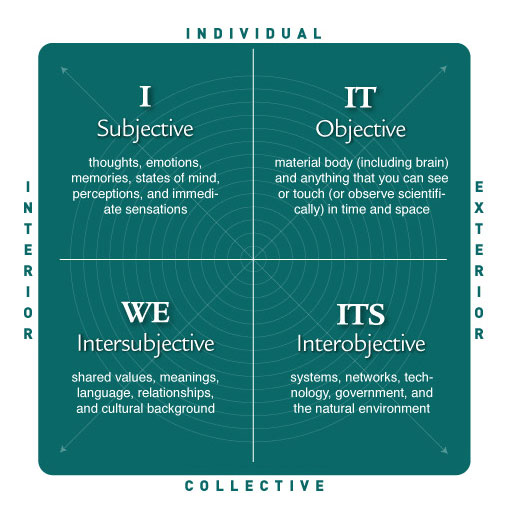
I am going through the Core Integral program which is an interactive media presentation on the elements of Integral Theory, the synthesizing philosophical framework developed by Ken Wilber.   One of the main ideas is that of learning to see a problem through various perspectives called quadrants, based on the following diagram.

Quadrants


There are two contrasting dimensions to perspective, the interior versus exterior perspective, and the individual versus collective perspective.   If you have the intersection of these two dimensions, you get a total of 4 possibilities of perspectives as seen in the diagram above.

2.   Example:   Climate Change

The Intergovernmental Panel on Climate Change or IPCC is putting out its 5th Assessment or AR5, and there have been a lot of news articles regarding this, mostly favorable to the findings report but there have also been some articles that criticize its findings.    I wanted to understand the issue of climate change better, and I realized that one way to approach it is to show how the various perspectives of Integral Theory could be put to bear on the problem.

a.   Objective (upper-right or “IT” quadrant)

You would think that this is a matter for scientists, since the questions of

  • whether the climate is changing
  • and if so, to what degree and at what rate it is changing
  • and if so, what can we do NOW to prevent those changes

seem to hinge on the relationships between observations and scientific theories.

b.  Interobjective (lower-right or “ITS” quadrant)

Because these scientific questions deal with “global” climate change as opposed to change in any specific area of the globe, any solution to the question would have to involve the world’s governments, and so you must involve this quadrant because that is where systems are found.    Technology is also a system and any technological solution will have its origin here.     Global warming will have an economic impact, and since economics is also a system, this quadrant will come into play regarding questions of “how much will global warming cost the global economy, and how much will it cost the global economy to control it”.

c.  Intersubjective (lower-left or “WE” quadrant)

The real impetus for the contrarian view (the so-called “climate change deniers”) does not seem to be scientific, but political in nature, with the majority of the deniers being funded by conservative think tanks like the Heartland Institute that are funded by those with economic interests in resource-extraction companies, like the Koch brothers in the US, or Lord Lawson in the UK.    Politics, religion, and culture are all “value systems” (as opposed to the systems of physical or social phenomena like in the lower-left quadrant).

If you want to understand those who are supporting the climate change assessment by the IPCC, and those who are denying its conclusions, you will have to confront the politics based on who the stakeholders are, that is, those who be affected by any possible measure to control climate change.

d.  Subjective (upper-right or “I” quadrant)

Where does the “I” quadrant come in?    If you want to convince someone that there is global warming, you will have to take that person’s own personal values into account.    They may derive these from politics, from religion, or culture.   You will have to take that person’s own personal experience into account.   How much do they know of climatology?   Have they had personal experience of any extreme weather events (tornadoes, floods, hurricanes)?    You will have to change your message depending on how much they know about climatology, and you will be able to relate more easily to those who have had a personal experience of an extreme weather event, because it will connect the future of the climate with their present reality, which is the best starting point for a discussion.

In short, I find that the quadrant system developed by Ken Wilber is an excellent way of categorizing and organizing the perspectives that you must take into account when trying to approach a complex problem.    Let’s put it another way:   solving a multi-dimensional problem will take a multi-dimensional solution, and you are more likely to grasp the true outlines of such a solution if you take the various perspectives outlined in Integral Theory into account.

5th Edition PMBOK® Guide—Memorizing the Processes (Step 4: Initiating Process Group)


1.   Introduction

In the last post, I discussed the process of memorizing the names and the order of the 47 processes, which is easiest done by taking them in groups by knowledge area.   Here are the numbers of processes in each knowledge area and process group.

Initiating Planning Executing Monitoring & Controlling Closing
Integration 6

1

1

1

2

1

Scope 6

4

2

Time 7

6

1

Cost 4

3

1

Quality 3

1

1

1

Human Resources 4

1

3

Communications 3

1

1

1

Risk 6

5

1

Procurement 4

1

1

1

1

Stakeholder 4      1

1

1

1

 47

2

24

8

11

2


Once you are able to match the names of all the 47 processes with their position in the matrix via the game with index cards or post-it notes described in the last post, you then must try to come up with the names from memory.    One of the other ways to do this is to memorize the names of the processes and their position in the other direction in the matrix, vertically across the columns for each process group.

2.    Processes in the Initiating Process Group

Process

Group

Process

Number

Process
Name
Process Description
Initiating 4.1


Develop Project Charter Develops document that formally authorizes project and provides project manager with authority to apply organizational resources to project activities.
Initiating 13.1 Identify Stakeholders Identifies people, groups or organizations that could impact or be impacted by outcome of the project; analyzes their interest in the project and potential impact on its success.

There are only 2 process groups in the Initiating Process group.    The key word to memorize with 4.1 is the phrase “Project Charter”.    Since this the process that  gives the “green light” from management to the project and gives the project manager the authority to carry out that project with the organization’s resources, it is done even before the planning process.

The key word to memorize with 13.1 is the word “stakeholders”:   identifying them will be key to sorting out the politics of the project, if you will, both internally and externally.    You can have all the resources at your command as the project manager, but your project will fail if it is actively opposed by key stakeholders (such as customers or sponsors), the ones who would have a high degree of interest in the potential outcome of the project and a high degree of influence over its outcome as well.

The Initiating Process Group is the easiest to remember along with the Closing Process Group because there are only two processes in it.    Both processes are thematically linked to the idea of Initiating, with the project charter and identification of stakeholders being the two processes done even BEFORE detailed planning takes place.

The next post after the weekend will cover the 2nd process group, the Planning Process Group, which in contrast is the most complicated series of processes to remember.


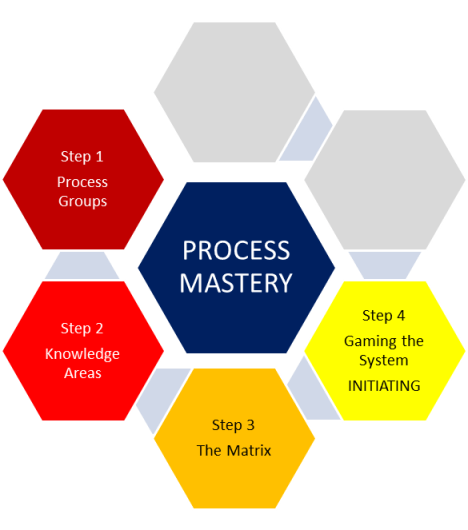
5th Edition PMBOK® Guide—Memorizing the Processes (Step 4: Gaming the System)


1.  Introduction–The Ultimate Goal

Ask anyone who has studied for, sat for and passed the PMP or CAPM certification exam, and they will tell you that one of the most challenging categories of questions, besides the technical questions having to do with earned value or network diagrams, are those that ask about the inputs, tools & techniques, and outputs of the 47 different project management processes.    These require not just knowing the names of each of the processes and how they fit into the “matrix” of 10 knowledge areas and 5 process groups, but the very essence of how these processes work.    You can readily memorize the 47 process names and their location in the project management matrix, but in the 5th Edition of the PMBOK® Guide there are a total of 614 inputs, tools & techniques, and outputs for these processes (an increase of 19% from the 4th edition), and there is no realistic way of memorizing all of those.    The good news is that you will not have to actively write down, for any specific process, a list of all of those inputs, tools & techniques, and outputs.    A passive knowledge of being able to recognize on a test from a list of inputs, tools & techniques, and outputs, which ones are part of a given process is the most you will have to do.

However, even this passive knowledge is a tall order to ask of those sitting for the down, and it requires an active knowledge of what the process actually does.    That is why step 5 of the Memorizing the Processes will focus on Tools & Techniques of each process, and step 6 will focus on the Inputs & Outputs.    Knowing what the tools & techniques for each process are will help you figure out what the output of each process is, that is usually not so difficult.    What is more difficult to figure out is all of the inputs that go into a process, but once again, if you understand what the process does, then the “ingredients” or “inputs” that go into that process will be more easily understandable.

2.   Step 4–Gaming the System

One thing that helps you recognize the various Inputs, Tools & Techniques, and Outputs (sometimes collectively referred to as ITTOs) of the processes is not just what each one of them does individually, but how the processes fit together like a jigsaw puzzle.

There are three ways that processes are connected:

  • horizontally, across the knowledge areas
  • vertically, down the process groups
  • crosswise, based on themes (such as “change control”)

The horizontal and vertical connections can be learned systematically, which is the subject of the next series of posts I refer to as Step 4:  Gaming the System.   When I say “Gaming the System,”  I mean literally playing games with cards that help you memorize these horizontal and vertical connections.    When I was a child in the US, there was children’s board game called Chutes & Ladders, probably based on the UK-based children’s board game Snakes & Ladders.    You can be going step-by-step up the board when there is suddenly a surprise connection between one space and some other space in a different location on the board.    Similarly, an output of one knowledge area, rather than being the input of the next process in the same knowledge area (the expected horizontal connection), may instead be the input to some other knowledge area in a different location on the “board” or matrix.    In the same way, an output of one process group, rather than being the input of the next process group (the expected vertical connection), may instead be the input to some previous process group.

These are the exceptions and are important to learn later.   The first thing to tackle, though, are the connections across the knowledge areas.    This will be the subject of this post.

3.   PM Process Card Games

Here’s what you should do to use cards that contain the PM processes to play games that help you learn the connections between processes.

Step 1:   Create the PM Process Matrix

The PM Process Matrix should be on a sheet of paper, 11 x 17, or some other large enough sheet that has room for the five process groups in columns going across and the 10 knowledge areas in rows going down.     If you are doing this exercise as a group, then draw the matrix on a flip chart or some other surface like a blackboard.

Initiating Planning Executing Monitoring & Controlling Closing
Integration 6

Scope 6

Time 7

Cost 4

Quality 3

Human Resources 4

Communications 3

Risk 6

Procurement 4

Stakeholder 4

 47

2

24

8

11

2


Besides the names of the process groups going in vertical columns, and the names of the knowledge areas going in horizontal rows, you should strive to put the “check digits” at the bottom of each column and at the left hand side of each row.   This will be a tremendous aid in figuring out if you have missed any processes, and if so, where those processes are in the matrix.

Step 2.  Create the PM Process Cards

Many PMP Exam prep textbooks, like the one put out by Rita Mulcahy’s cor the one put out by Core Performance Concepts, have in their supplementary materials pre-printed cards with the processes written on them.   However, you can use index cards or post-it notes.   The post-it notes are recommended for group work so that they can be pasted on the flip chart or blackboard, and the  index cards can be placed on the 11 x 17 paper grid.

On one side of the card, put the process name, for example “Develop Project Charter”.   On the back side of the card, write the process number and the name “4.1 Develop Project Charter.”  A list of all of these process names and their location on the PM matrix is found on page 87 of the 5th Edition of the PMBOK® Guide.

The “4.1” numerical designation before “Develop Project Charter” tells you two things:  it gives the Chapter of the PMBOK® Guide that process is found in (chapter 4).   Since Chapter 4 covers the Integration Knowledge Area, it means this process is an Integration Knowledge Area process.    The “1” after the decimal point tells you the number of the process within that knowledge area:   “1” is the first process, “2” is the second process, etc.    The number can only go as high as “7” (the number of processes in the Time Management Area.

Step 3.   Play the PM Process Game–practice with each Knowledge Areas

Take the processes of one knowledge area at a time starting with the six processes of the Integration Knowledge Area.

Shuffle the mini-deck of six cards with the process names with just the name of the process showing (on the front side of the index card or post-it note).     When you see a card, put it on the process group column in the Integration Knowledge Area row where you think it should go.    When all six cards have been placed in what you think the proper order is, check your work by turning the cards over!    When you have done this successfully without any mistakes, go to the next knowledge area.

Step 4.  Play the PM Process Game–now for all 10 Knowledge Areas

When you’re done practicing with all 10 knowledge areas, now shuffle the deck of 47 processes with just the name of the process showing (on the front side of the index card or post-it note).    If you are doing it yourself, you just put the process on the matrix in its correct position until you are done.    Then use the check digits to see if you have the correct number of processes in each row and column.   If you do, congratulations, you have made it through one pass of the PM Process Game!    If you have made a mistake, then use the check digits to figure out where you are missing some processes.    Just knowing this, you can sometimes figure out what the right arrangement should be.    If you can make it 5 times through the PM Process Game without a mistake, you have mastered the game!

Step 5.   Recreate the Matrix from Memory

On the day of the test, you will have 15 minutes (approximately) of time between the time the introductory screen comes on and the test starts.   You should be able within 10 minutes to do the following:

a)   Recreate from memory the matrix on a piece of paper, and put the 47 processes in the matrix in their proper locations

b)   Recreate from memory the most important formulas you may need to complete the problems involving calculations.

This will give you five minutes to read the instructions, take a deep breath, compose your mind and start the test.

To do the first of these, you will need to recreate the entire matrix from memory.    Therefore, without the cards, you should be able to a) draw the matrix on a blank sheet of paper, and then b) fill in that matrix with the 47 processes in their correct positions.

4.  CONCLUSION–Why go through all this?

Once you can go to this next step of recreating the 47 processes from memory, you have accomplished a major goal in preparing for the exam.    Because having the 47 processes in front you in the correct order both in terms of process group (vertically) and knowledge area (horizontally) will allow you to do two things:

  1. It will actually help you solve some of the problems on the exam, because many of them give you a situation and ask you “what do you do next?”    If you can identify which processes are in the situation presented to you in the problem then the next thing you do will be the next process.    Yes, you could figure out in your mind, but if the solution presents itself to you visually in the matrix right in front of you, it will less time to figure out the solution.
  2. It will help you on the inputs, tools & techniques, and outputs questions, because many times the outputs of one process become the inputs of the next process.    Identify the process, and if the question asks about inputs, look at the name of the previous process for a hint.   Likewise, if the question asks about outputs, look at the name of the following process for a hint.

It’s that simple–and that is why I highly recommend playing the card game mentioned above as a stepping stone to being able to use your own mind as–The Matrix!

The next post will discuss memorizing the processes vertically by Process Group.    This is not hard for the first (Initiating) and last (Closing) process group, because each of these have only 2 processes each.    But the Planning, Executing, and Monitoring & Controlling Group have 24, 8, and 11 and these take more work to memorize.    It is essential that you memorize the Planning Process Group of 24 processes because that is in fact the order in which the processes are done for the most post.


5th Edition PMBOK® Guide—Memorizing the Processes (Step 3: Stakeholder Knowledge Area)


1.   Introduction

After memorizing the 5 process groups (step #1) and the 10 knowledge areas (step #2), the next step in mastering the memorization of the processes is figuring out where the 47 project management processes fit in the matrix made by those process groups and knowledge areas.    The best way to do that is to first memorize the names and order of the processes by knowledge area.    In previous posts, I have covered the knowledge areas of Integration (chapter 4 of the PMBOK® Guide), Scope (Chapter 5), Time (chapter 6), Cost (chapter 7), Quality (chapter 8), Human Resources (chapter 9), Communications (chapter 10), Risk (chapter 11), and Procurement (chapter 12).    This post will cover the processes involved in the Stakeholder Management knowledge area, which is covered by chapter 13 of the PMBOK® Guide.

Here are the 47 processes of project management; the chart indicates how many are in each knowledge area and process group.

Initiating Planning Executing Monitoring & Controlling Closing
Integration 6

1

1

1

2

1

Scope 6

4

2

Time 7

6

1

Cost 4

3

1

Quality 3

1

1

1

Human Resources 4

1

3

Communications 3

1

1

1

Risk 6

5

1

Procurement 4

1

1

1

1

Stakeholder 4      1

1

1

1

 47

2

24

8

11

2

2.  Stakeholder Management knowledge area

Here’s the portion of the above matrix of 47 processes that lists the processes in the Stakeholder Management knowledge area, which is covered in chapter 13 of the 5th Edition of the PMBOK® Guide.

Knowledge Area Total # of Processes Initiating Planning Executing Monitoring & Controlling Closing
Stakeholder

4

 1 1  1  1

You should notice two things about the distribution of processes among the process groups for the Stakeholdert Management knowledge area.    There is one process in each process group except for the Closing process group, that means one in each of Initiating, Planning, Executing, and Monitoring & Controlling.

In addition, the fact that has a process in the Initiating group is significant; it is the only knowledge area except for the Integration Knowledge Area that has a process in that Initiating Process Group.

The following is a chart that contains a description of the four processes in the Stakeholder Knowledge Area.

Process Group Process 

Number

Process Name Process Description
Initiating 13.1 Identify Stakeholders Identifies people, groups, or organizations that could impact or be impacted by a decision, activity, or outcome of the project.  Analyzes and documents their interests in and influence on the project.
Planning 13.2 Plan Stakeholder Management Develops appropriate management strategies to effectively engage stakeholders throughout the project.
Executing 13.3 Manage Stakeholder Engagement Communicates and works with stakeholders to meet their needs/expectations, address issues as they occur, and support stakeholder engagement.
Monitoring & Controlling 13.4 Control Stakeholder Engagement Monitors overall project stakeholder relationships, adjusts strategies and plans for engaging stakeholders.

Here’s a more detailed description of the processes.

13.1  Identify Stakeholders

This identifies the stakeholders, and does a preliminary analysis of their a) interest and b) influence or level of power with regards to the project.    This determines the general strategy of engagement with the stakeholders:   monitor (i.e., do nothing), keep informed, keep satisfied, or manage closely.

13.2  Plan Stakeholder Management

This goes from the general strategy of engagement to a specific strategy of taking each stakeholder’s current engagement level, which can be one of the following:   unaware, resistant, neutral, supportive, or leading, and influencing that stakeholder until they have the desired engagement level.    This information is put into the Stakeholder Management Plan.

13.3  Manage Stakeholder Engagement

This carries out during the course of the project the general and specific strategies for stakeholder management developed in 13.1 Identify Stakeholders and 13.2 Plan Stakeholder Management.

13. 4  Control Stakeholder Management

This is a Monitoring & Controlling Process group process.    The monitoring part consists of checking up on the relationships with stakeholders and their current engagement level.   If the current level is different than the desired level, then the strategy that had been used up to that point in 13.3 Manage Stakeholder Engagement is reviewed and revised if necessary (this is the controlling part of the process).

Other than the Identify Stakeholders, which has to be memorized as the other process besides 4.1 Develop Project Charter that is in the Initiating Process Group, the other three processes have the words Plan, Manage, and Control, which should make it easy to memorize the process groups they belong to as being the Planning Process Group, the Executing (= Manage) Process Group, and Monitoring & Controlling Process Group.

The next post will discuss ways to practice putting all of the 47 processes in their proper place in the matrix consisting of 5 process groups and 10 knowledge areas.